Layouts
Choose a Fumadocs layout and change what each page renders.
Content pages use the Docs Layout by default, and plugin pages like the blog use the Home Layout. To use another layout, pass it to renderDefault() in ui.renderPage, or return your own .astro layout.
Built-in Layouts
The default, with a sidebar and a table of contents. See its props.
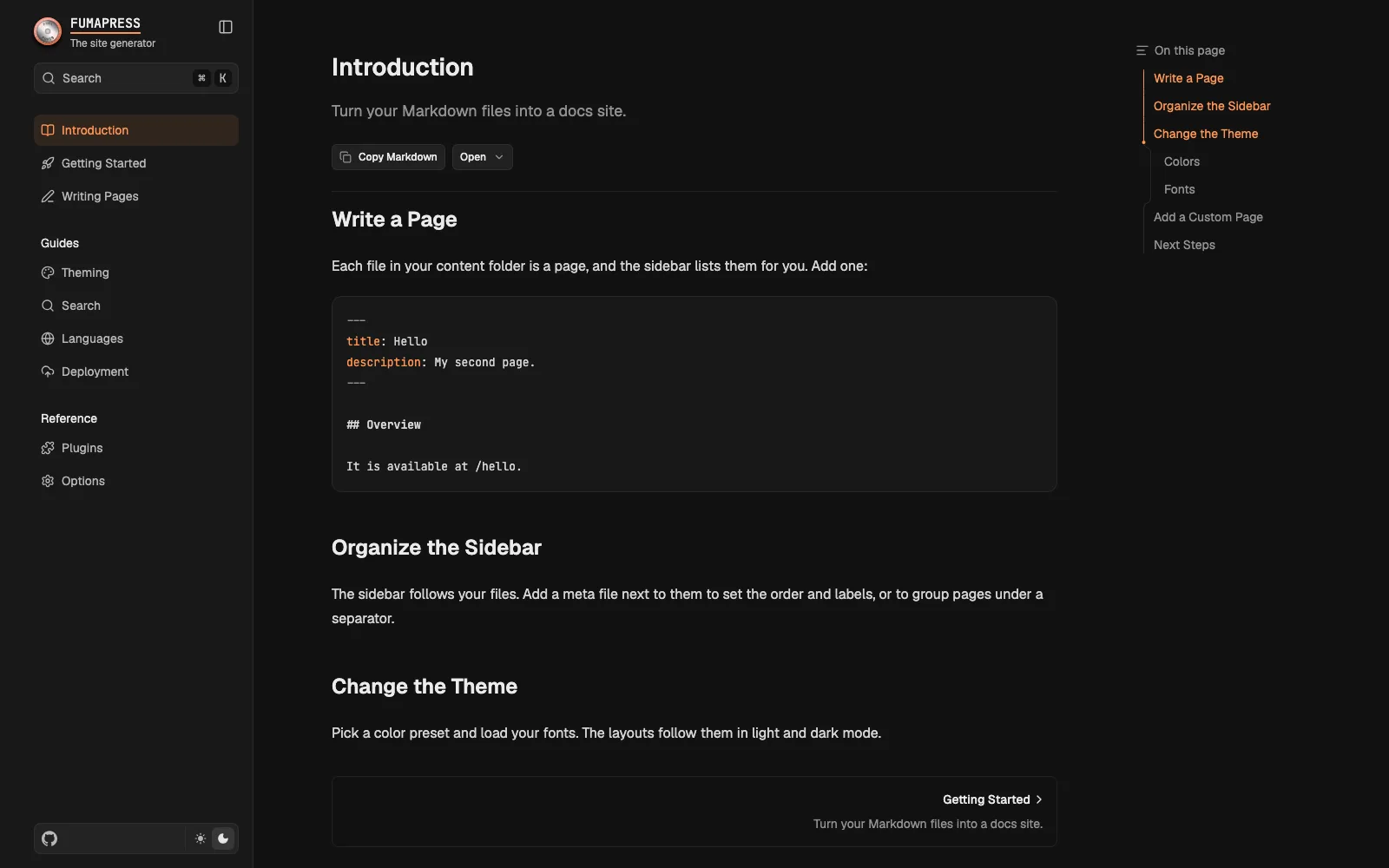
Switching the Layout
Pass a Fumadocs layout to renderDefault(). This example renders the docs source with the Notebook Layout:
export default app.config({
  ui: {
    renderPage(props) {
      if (props.type === "docs") return props.renderDefault({ layout: "notebook" });
      return props.renderDefault();
    },
  },
});
layout is one of "docs", "notebook", "glass", "spacious" and "flux". Plugin pages, like the blog, keep the Home Layout.
Glass and Spacious also need their styles, imported before the theme. Use spacious.css for Spacious:
@import "tailwindcss";
@import "fumadocs-ui/css/generated/glass.css";
@import "fumadocs-ui/css/neutral.css";
A combined stylesheet like default.css can't go after them, so use the separate theme imports.
Layout Props
layoutProps go to the layout, and pageProps to the page. Their types follow layout:
props.renderDefault({
  layout: "notebook",
  layoutProps: { tabMode: "navbar" },
  pageProps: { tableOfContent: { style: "clerk" } },
});
They take priority over ui.layoutProps and over the UI of plugins in the same place, like a banner in sidebar.banner.
The layout is a client component, so a function in these props, like the transform of tabs, must come from a 'use client' file:
"use client";
import type { LayoutTab } from "fumadocs-ui/layouts/shared";

export function transformTab(tab: LayoutTab): LayoutTab {
  return { ...tab, description: undefined };
}
Rendering Pages
Every page goes through ui.renderPage. To give a page your own layout, return an .astro component from it. props.type tells you the kind of page: a source key like "docs", or the name of a plugin page like "blog.index".
import Docs from "./src/layouts/Docs.astro";

export const app = createPress({ docs: docsSource });

export default app.config({
  ui: {
    renderPage(props) {
      // taken first: `props` is `never` in `default` once every type has a case
      const { renderDefault } = props;
      switch (props.type) {
        case "docs":
          return <Docs {...props} />;
        default:
          return renderDefault();
      }
    },
  },
});
Layout per Source
Add a case for each source, with its own .astro file. In that file, read the typed frontmatter and pass the values your island needs.
renderPage(props) {
  const { renderDefault } = props;
  switch (props.type) {
    case "guides":
      return <Guide {...props} />;
    case "docs":
      return <Docs {...props} />;
    default:
      return renderDefault();
  }
},
You can also check props.page.path, for example to use another layout for pages under reference/.
Sidebar
layoutProps.tree has every source, with each baseDir as a folder. selectTreeRoot() scopes the sidebar to one folder:
import { selectTreeRoot } from "@fumapress/astro/client";

<DocsLayout {...layoutProps} tree={selectTreeRoot(layoutProps.tree, "docs")} />;
Nested paths like "docs/guides" work too. To hide pages from the sidebar, see Hiding Pages from the Sidebar.
Slots
props.slots has the UI of plugins by name, like feedback:page, the form of Feedback. The page buttons are core:markdown and core:view-options. Each item has an element and the region it belongs to, like actions or footer. Banners of plugins aren't in it, since Fumapress renders them above every page.
A custom layout renders only the items it places. Place an item by its name, or collect the items of a region:
export const DocsIsland = createIsland(
  ({ layoutProps, pageData, toc, slots, children }: IslandProps<typeof app, "docs">) => {
    const footer: ReactNode[] = [];
    for (const slot of Object.values(slots))
      if (slot?.region === "footer") footer.push(slot.element);

    return (
      <DocsLayout {...layoutProps}>
        <DocsPage toc={toc}>
          <DocsTitle>{pageData.title}</DocsTitle>
          <div className="flex gap-2">
            {slots["core:markdown"]?.element}
            {slots["core:view-options"]?.element}
          </div>
          <DocsBody>{children}</DocsBody>
          {footer}
        </DocsPage>
      </DocsLayout>
    );
  },
);
Plugin Pages
Plugin pages, like the blog index, use the Home Layout by default. To restyle them, add a case to renderPage and render props.children, which is the content of the plugin page without a layout:
import { HomeLayout } from "fumadocs-ui/layouts/home";

renderPage(props) {
  const { renderDefault } = props;
  // the Home Layout takes these props, the others are for docs layouts
  const { nav, links, githubUrl, i18n, themeSwitch, searchToggle } = props.layoutProps;
  const home = { nav, links, githubUrl, i18n, themeSwitch, searchToggle };
  switch (props.type) {
    case "blog":
    case "blog.index":
    case "blog.tags":
    case "blog.tag":
      return (
        <HomeLayout {...home}>
          <div className="mx-auto w-full max-w-[1400px] px-4 py-6">{props.children}</div>
        </HomeLayout>
      );
    default:
      return renderDefault();
  }
},
To replace the content too, use the props of the plugin, as in the blog.
Islands
Fumadocs layouts are React components, so an Astro layout has two files. Fumapress still renders <html> and head tags, and runs page transitions.
src/layouts/Docs.astro
Runs on the server. The only file that reads page and awaits data.
DocsIsland, from createIsland()
Renders the Fumadocs layout, in the browser too. The sidebar and the slots of plugins are rendered here.
Page content
A separate island. It can't read providers from the layout.
---
import type { LayoutProps } from "@fumapress/astro/config";
import type { app } from "../../press.config";
import Banner from "../components/Banner.astro";
import { DocsIsland } from "../components/docs-island";
import { getStars } from "../lib/github";

type Props = LayoutProps<typeof app, "docs">;
const { island, page } = Astro.props;
const stars = await getStars();
---

<DocsIsland client:load transition:persist="docs" island={island} stars={stars}>
  <Banner slot="banner" path={page.path} />
  <slot />
</DocsIsland>
Render the island with client:load, and pass island as it is. client:only doesn't work,
because the island also renders on the server.
The .astro File
LayoutProps types Astro.props, by source key or plugin page type. Use this file for:
- Frontmatter: read it from
pageand pass the values on. - Data: on prerendered pages,
awaitruns at build time, so a star count stays the same until the next build. - State across pages:
transition:persistkeeps the island and its state on navigation, like the open folders of the sidebar. Without it, the island remounts.
tsc doesn't check .astro files. Use astro check from @astrojs/check.
The Island
IslandProps types the props from the site: layoutProps with the page tree as tree, pageData, toc and slots. The AI chat comes from useLayoutProps(). Other props come from your .astro layout:
- Named slots become props, and
childrenis the default slot..astroparts in slots are static. - Other values must be serializable. Many plugin page props aren't, like the pages in
postsofblog.index.
React context isn't shared between islands, so everything that uses the Fumadocs layout context must be in the same island. To wrap the page content with a provider, give the MDX components a wrapper.
Returning JSX
renderPage can also return React directly, like the default UI. Client components and MDX components hydrate, and their props must be serializable. Other components render once on the server, without state or effects.
An .astro component only works as the direct result of renderPage. Anywhere else, rendering
the page throws an error.
Customizing Fumadocs UI
npx @fumadocs/cli add banner
npx @fumadocs/cli customize
The Fumadocs CLI copies Fumadocs UI into your project, so that you can change its source. add copies a component, and customize copies a layout. Fumapress styles still apply to the copies.
Register a copied component in your MDX components module, and use a copied layout from your island, with createIsland().
Features come from plugins
On a Fumapress site, the CLI only installs UI and rejects the rest. Use plugins for AI chat and MCP, Markdown, Open Graph images, search and feedback.
Last updated on
 General Translation
 Ferry Health
 assistant-ui
 Inkeep